Open the App →
StationRotation logo
Free  ·  No Account Required

Stop building fire station rotation schedules by hand.

StationRotation places your crew into the right seats, on the right apparatus, every shift — and automatically handles unit certification requirements like keeping a paramedic on the Engine. Works with any shift pattern: 24/48, 24/72, 48/96, 3/4, 5/6, or fully custom.

Build Your Rotation →
See how it works

From blank slate to printed schedule in minutes.

What the output looks like
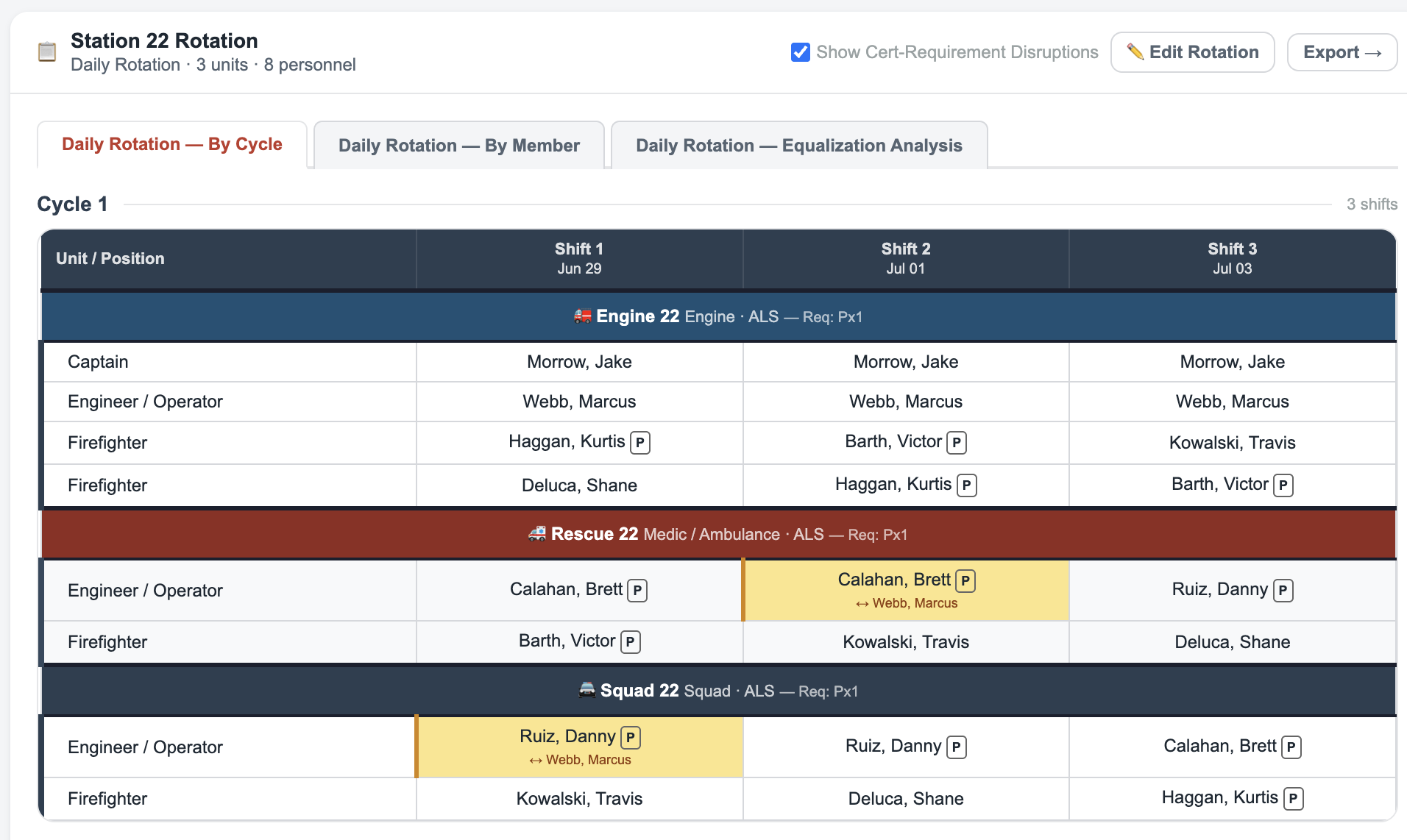
Fire station rotation schedule — Station 22, 3 units, 10 personnel, daily rotation by cycle with cert adjustment indicators

Station 22 · Daily Rotation · 3 units · 10 personnel. Amber cells show where StationRotation made an adjustment to ensure every unit that requires a paramedic always has one.

Every firefighter already knows their shift schedule. The hard part is what comes next — figuring out who rides which unit, every shift, fairly, while making sure any unit that requires a certification always has someone qualified in that seat. Most stations still do that by hand. One missed formula and someone gets the short end for two months before anyone notices.

What it does

Everything the spreadsheet can't.

📅

Works with your schedule

24/48, 24/72, 48/96, 3/4, 5/6, or fully custom. Set your shift gaps and off-day pattern — StationRotation handles the math.

🏅

Unit requirements, handled

Does your Engine need a paramedic every shift? Tell StationRotation what each unit requires and it guarantees the right person is always in that seat — automatically.

📊

Equalization analysis

See exactly how many cycles until each rank group equalizes across apparatus. The actual math, cycle by cycle — not a guess.

🔍

Find best pattern

Not sure which rotation gives the fairest result? Score and rank every option automatically. Pick the best one with a click.

How it works

Three steps to a printed schedule.

1

Set up your crew

Enter names, ranks, and certifications. Assign any fixed positions. Takes about two minutes for a typical station.

2

Pick your schedule

Choose a standard shift pattern or build a custom one. Set a start date, choose your rotation options, and generate.

3

Review and print

Check the equalization analysis, swap individual assignments if needed, and export a clean print-ready schedule.